Introduction
If you’re trying to understand Blue Star AC remote symbols meaning, you’re not alone.
You push a button, an icon lights up, and before you know it, you’re asking yourself, “Did I turn on the cooling mode…or did I do something else?”
For owners of Blue Star ACs, deciphering these icons is vital for getting the maximum cooling effect, using energy efficiently, and staying hassle-free.
This article will provide you with detailed information about all the necessary icons on your Blue Star AC remote.
Blue Star AC Remote Symbols List
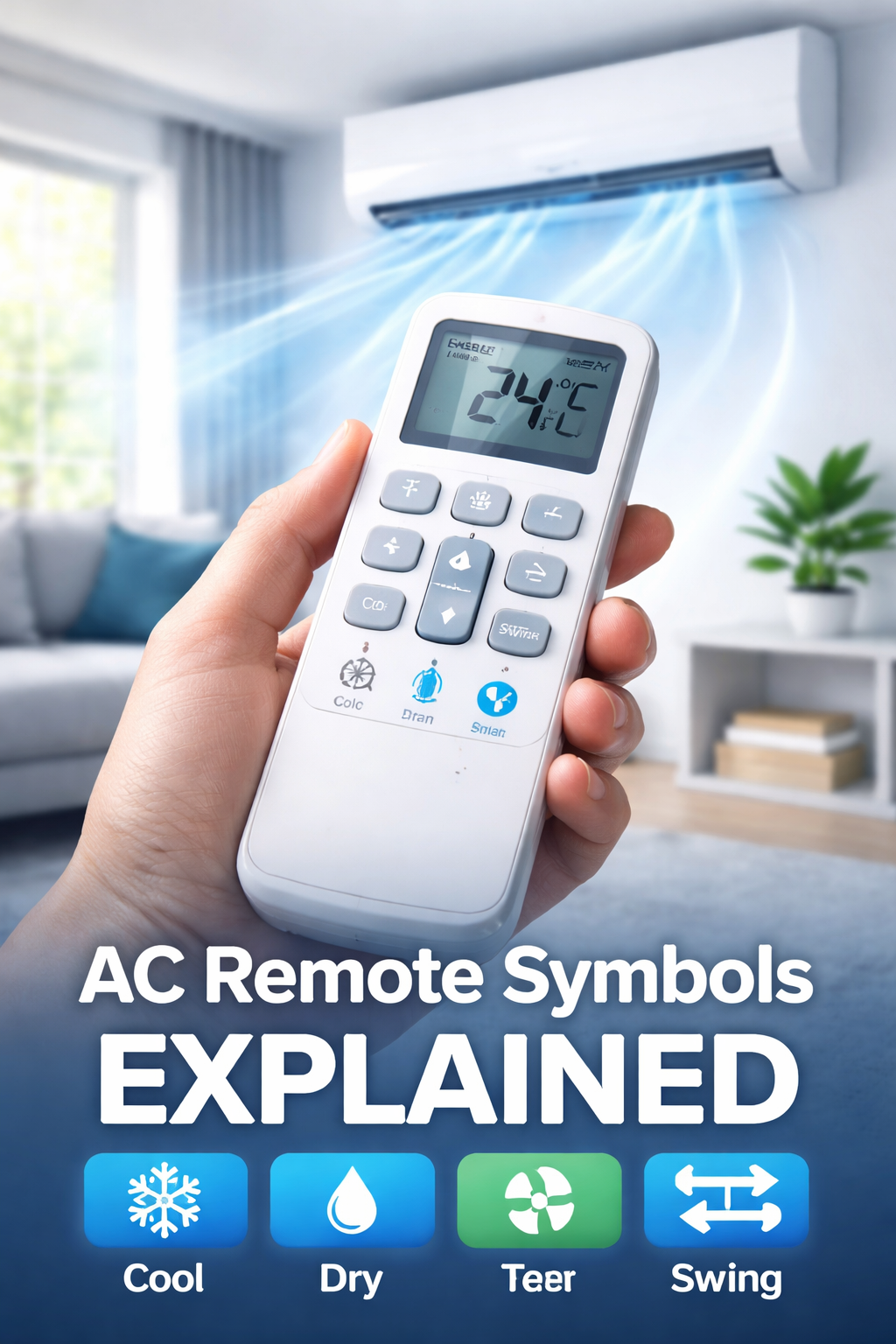
Here are the most common Blue Star AC remote symbols and their meanings:
- ❄️ Snowflake = Cool Mode
- 💧 Water Drop = Dry Mode
- 🌀 Fan = Fan Mode
- ↔️ Swing = Airflow Direction
- 🌙 Moon = Sleep Mode
- ⚡ Lightning = Turbo Mode
- A = Auto Mode
- ⏰ Clock = Timer
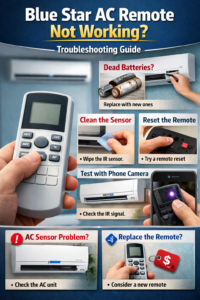
If your remote is not responding properly, check our guide on fixing common issues in Blue Star AC remotes.
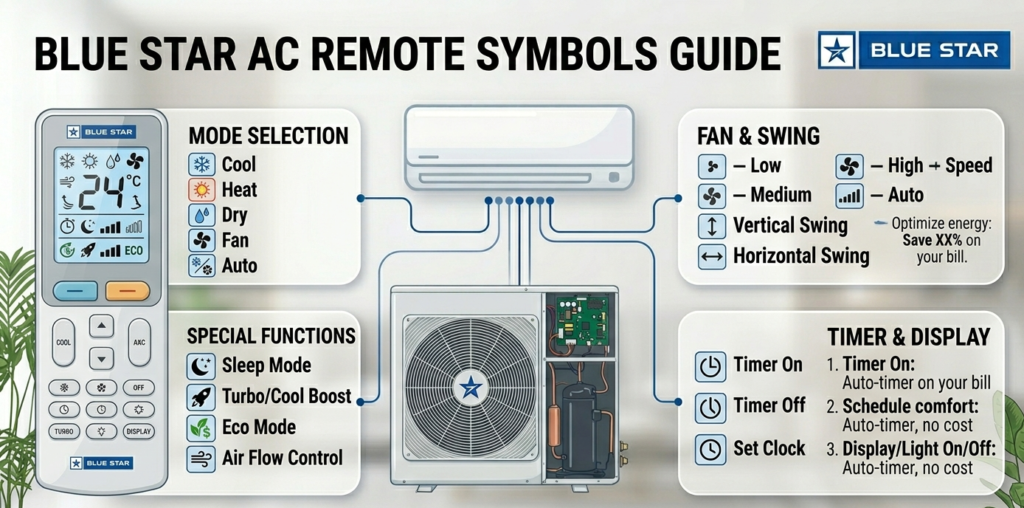
Remote Display Icons
These icons include:
- ❄️ Snowflake icon
- 💧 Water drop icon
- 🌀 Fan icon
- ↔️ Swing icon
Each of these icons serves a purpose; let’s explain their meanings.
Blue Star AC Cool Mode Symbol Meaning ( Snowflake)
The ❄️ Snowflake icon stands for Cool Mode.
Conditions for Using Cool Mode
Use Cool Mode under these conditions:
- Outdoor temperatures are high
- You require rapid cooling
- You wish to maintain optimal room temperature
Recommended Temperatures
- Optimal temperatures: 24°C to 26°C
- Lower temperatures lead to higher electricity bills
Consider Cool Mode as the maximum capacity of your air conditioning unit.
Dry Mode Symbol Meaning in Blue Star AC
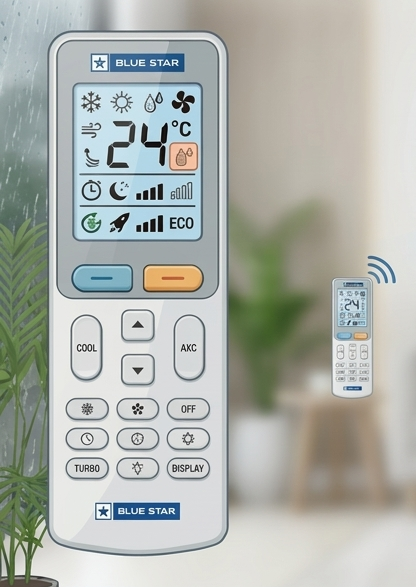
The 💧Water Droplet icon represents the Dry Mode function. If you live in humid areas, choosing the right AC is equally important. Check our guide on the best ACs for coastal regions.
What Dry Mode Does
Instead of focusing on cooling, dry mode does the following:
- Reduces moisture from the air
- Maintains low room temperature
- Consumes less power
- When to Use Dry Mode
Best when you have:
- Rainy seasons
- Moisture-laden conditions
- Beach locations
It’s like a dehumidifier + light cooling combined.
Fan Mode Symbol Explained
The 🌀 Fan symbol activates Fan Mode.
The Fan symbol activates fan mode, which controls airflow without cooling.
For a detailed guide on fan speeds like High, Auto, and Silent, check our complete article on Blue Star AC fan modes. Check our complete article on Blue Star AC fan modes
Swing Mode Symbol Explained
The ↔️ arrows or swing icon controls airflow direction.
Vertical vs Horizontal Swing
- Vertical swing: Up & down movement
- Horizontal swing: Left & right movement
Swing Cooling Effectiveness
- Even air distribution
- Eliminates hot spots
- Rapid room cooling
Compare the effectiveness of a spinning fan and a stationary one!
Auto Mode Icon Interpretation
The Auto Mode function will determine how much:
- Cooling is needed
- Fan speed is required
Depending on room temperature. It’s like putting your AC on autopilot.
Explanation of Sleep Mode Symbol
Sleep Mode gradually changes temperature as you sleep.
Advantages:
- Avoids overcooling
- Reduces electricity consumption
- Increases sleep comfort
Imagine your AC “looking after you when you sleep.”
Symbols for Timer Feature Function
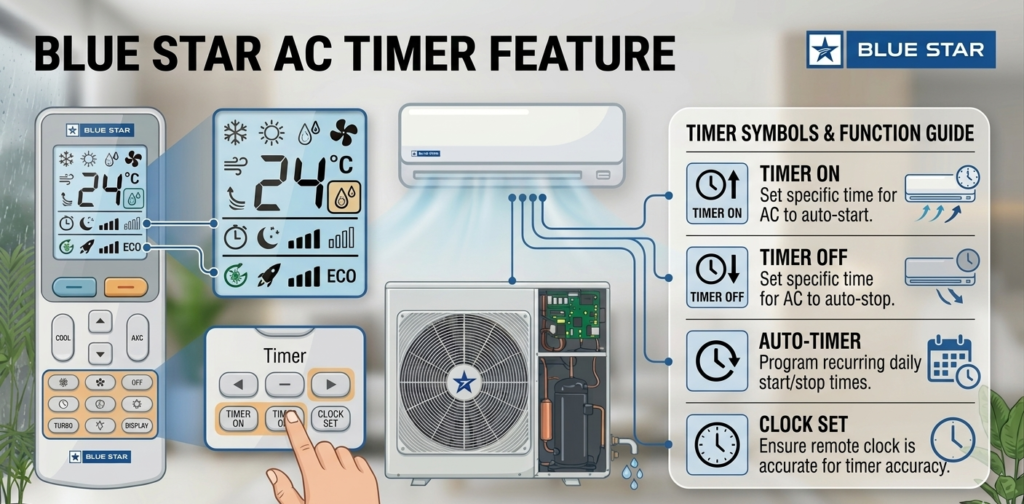
On Timer
Turns AC ON at predetermined times.
Scenario:
You can program it to turn on before you get home.
Off Timer
Automatically turns off AC.
Ideal for conserving energy when asleep.
Turbo or Power Mode
Features:
- Operates AC with full efficiency
- Chills room rapidly
Most suitable for:
- Very warm room conditions
- AC just turned ON
It’s like pressing the “boost” button.
Energy Saver (Eco Mode)
Eco Mode saves energy through:
- Compressor performance optimization
- Cooling effectively
It’s suitable for those who want to keep their electricity bills low.
Mistakes People Make When Using Remote Control
Avoid making mistakes such as:
- Setting the temperature very low (wastes energy)
- Neglecting the Dry Mode when humidity levels are high
- Overusing the Turbo Mode
- Forgetting to set the Swing mode
Tips for Operating the Blue Star Air Conditioner Remote Control Properly
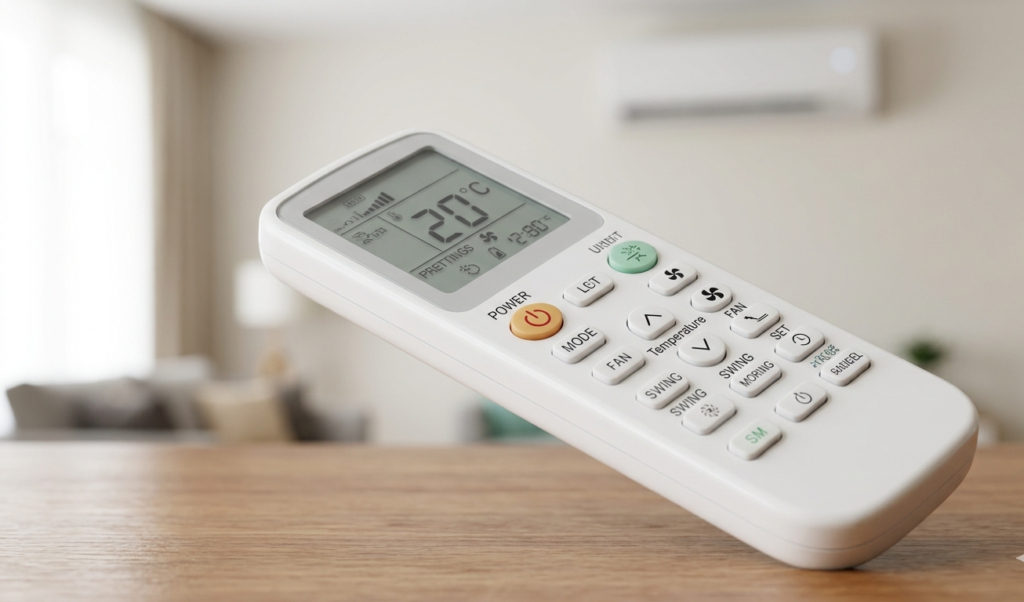
Do this:
- Use Cool Mode when there’s plenty of sun
- Using Dry Mode when humidity is high
- Setting the temperature within 24-26 degrees Celsius
- Setting the Sleep Mode at night
- Using the Swing for effective cooling
Troubleshooting for Symbol Problems
When your symbols are malfunctioning:
- Check battery life on the remote
- Reset your AC
- Make sure no button is locked in
- Wipe the remote sensor clean
Doesn’t help? It might require service.
Conclusion
Learning your Blue Star AC remote symbols isn’t just helpful—it’s empowering.
Once you’re familiar with each symbol, you’ll be able to:
- Feel more comfortable
- Conserve energy
- Maximize your AC usage
And next time you grab that remote, you’ll have confidence, not doubt.
Which Blue Star AC Mode Should You Use?
- Hot summer day → Use Cool Mode ❄️
- Humid/rainy weather → Use Dry Mode 💧
- Comfortable weather → Use Fan Mode 🌀
- Night use → Use Sleep Mode 🌙
- Quick cooling → Use Turbo Mode ⚡
Using Wrong AC Mode? Here’s What It Costs You
Using incorrect modes can:
- Increase your electricity bill by 20–30%
- Reduce cooling efficiency
- Make your room uncomfortable
The right remote usage fixes all of this instantly.
FAQ’s
1.What do the symbols on a Blue Star AC remote mean?
Blue Star AC remote symbols help you identify the active mode without reading text on the display. For example, a snowflake means cooling is ON, a water drop means Dry Mode, and a moon icon means Sleep Mode is active.
2. What are the four main modes in Blue Star AC?
Most Blue Star AC remotes include four primary modes: Cool for regular cooling, Dry for humidity control, Fan for airflow only, and Auto where the AC chooses settings automatically based on room temperature.
3. How do I use my Blue Star AC remote correctly?
Start by pressing the Power button, then use the Mode button to choose the right setting. Adjust temperature using +/– buttons and use Swing or Fan Speed for better comfort and airflow distribution.
4. Why are AC symbols important on the remote?
Remote symbols make it faster to understand what your AC is doing. Instead of checking settings manually, you can instantly see whether the AC is cooling, dehumidifying, sleeping, or running in turbo mode.
5. Which Blue Star AC mode gives the best cooling?
For maximum cooling performance, use Cool Mode (snowflake symbol). In most homes, setting the temperature between 24°C and 26°C gives the best balance between cooling and electricity savings.
6. What is the 3-minute rule in an air conditioner?
After switching off your Blue Star AC, wait about 3 minutes before turning it back on. This short delay protects the compressor and helps prevent unnecessary strain on the unit.