Introduction
Let’s face it, there is nothing more frustrating than sitting in front of your AC, pressing your remote over and over again… and nothing happens!
If your Blue Star AC remote is not working, do not worry. It is a very common problem, and in most cases, you can fix it yourself within minutes without calling a technician.
In this guide, I will walk you through some simple, practical, and effective solutions to fix your remote and get it working again.
Blue Star AC Remote Not Working? Try These 5 Quick Fixes First
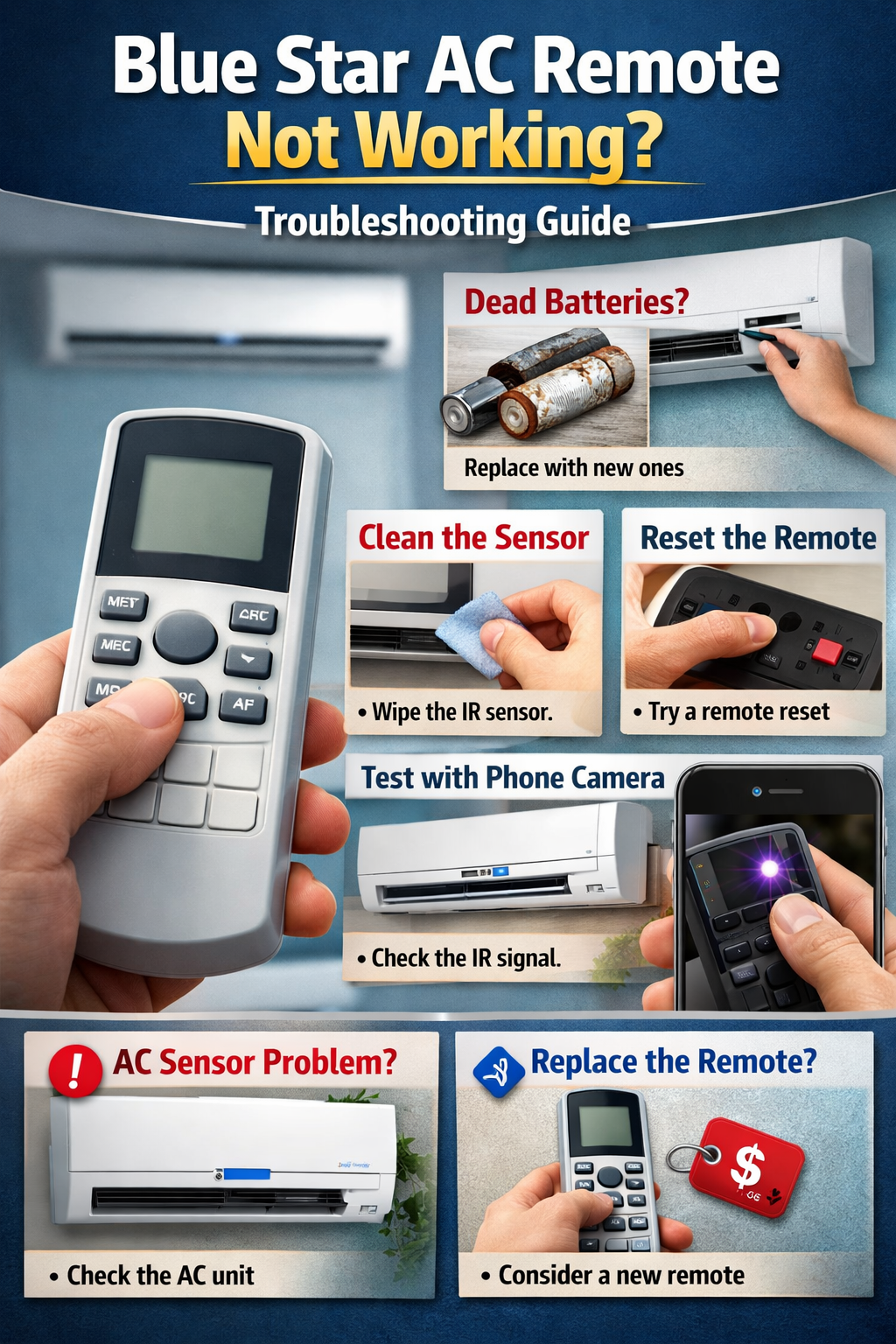
Before replacing your remote, try these simple fixes:
- Replace old batteries with new AAA batteries
- Test the remote using your phone camera
- Clean the remote and AC infrared sensor
- Reset the remote by removing batteries
- Restart the AC from the main power switch
Common Reasons Why Your Blue Star AC Remote Is Not Working
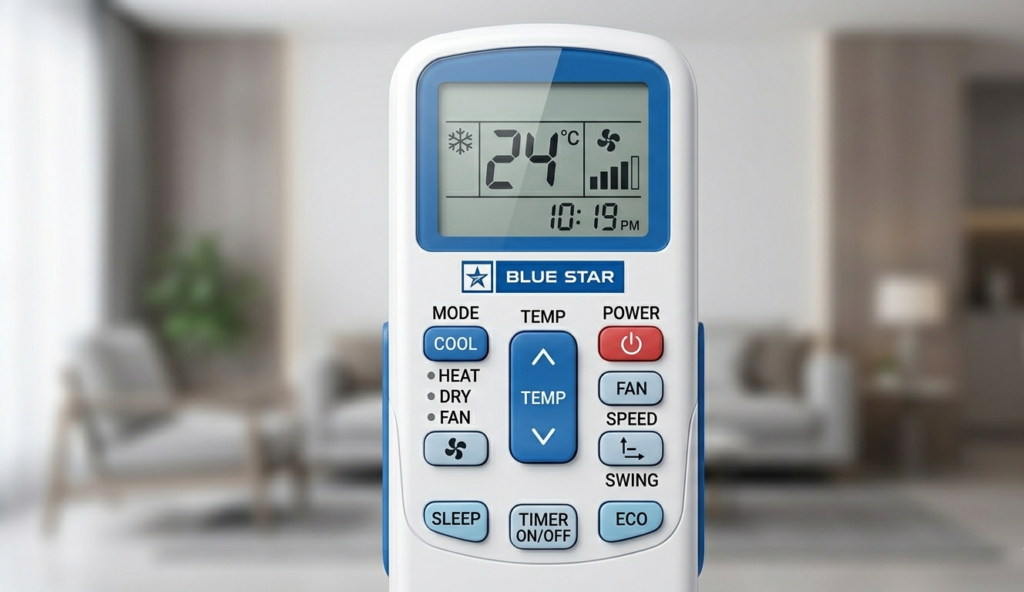
Now, before we move on to solving the problem, let’s first talk a little bit about why this problem might be occurring in your AC remote control.
Dead Batteries
One of the most common reasons why your AC remote control might not be working is that its batteries might be dead. Although your AC remote control might be showing a screen, if its batteries are dead, your AC remote control might not be working.
This problem is similar to a car running out of fuel. Your car might start, but it won’t move smoothly.
Sensor Problems
Since your AC remote control uses infrared technology, if there are problems with its sensor, your AC remote control might not be working.
Physical Damage
Have you dropped your AC remote control recently? It might be possible that your AC remote control might be damaged, even if there are no physical problems with your AC remote control.
Signal Interference
It might be possible that other devices, or even the sun, might be interfering with your AC remote control signal. To understand what each button does after your remote starts working, read our complete guide on Blue Star AC remote functions.
Step-by-Step Troubleshooting Guide
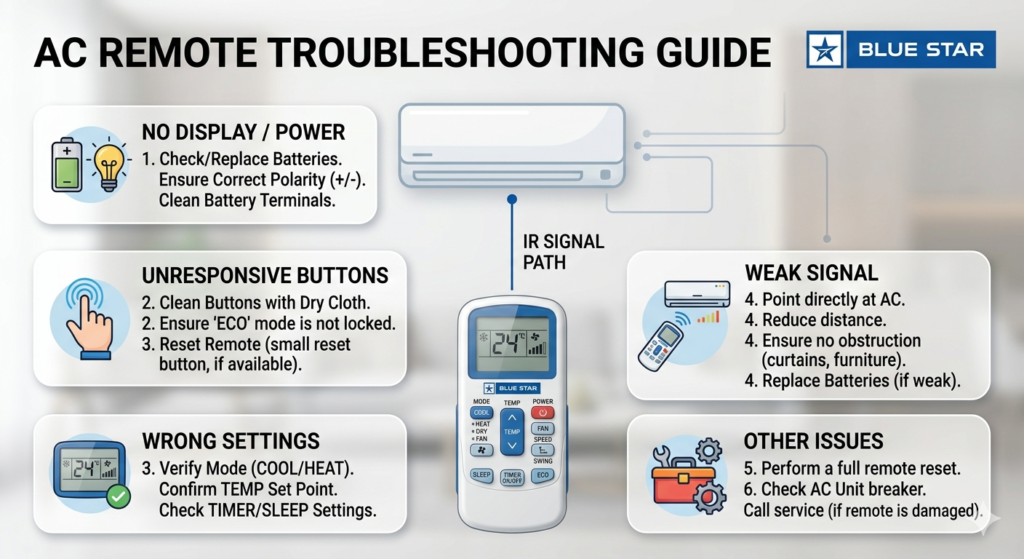
Let’s troubleshoot the problem step by step.
Step 1: Check the Batteries
- Remove the old batteries
- Insert the new ones (preferably alkaline)
- Insert the batteries with the correct polarity
Pro tip: Do not mix old and new batteries.
Step 2: Clean the Remote Sensor
- Use a soft cloth
- Clean the remote front (IR emitter)
- Clean the AC indoor unit sensor
Dust can cause signal blocking—even a thin layer of dust.
Step 3: Reset the Remote
- Sometimes the remote just needs a reset.
- Like your smartphone.
Step 4: Check for Obstructions
Verify:
- No furniture is blocking the AC
- You are within 5-8 meters
- You are pointing directly at the AC
How to Reset Blue Star AC Remote
Manual Reset Method
- Remove batteries
- Press all buttons for 10 seconds
- Reinsert batteries
Battery Reset Method
- Remove batteries
- Wait 5 minutes
- Reinsert and test
Simple, but surprisingly effective. If your AC is showing an error along with remote issues, check our Blue Star AC error codes list with fixes.
How to Check If Your Remote Is Working
Using Mobile Camera Test
Here’s a cool trick most people don’t know
- Open your phone camera
- Point remote at the camera
- Press any button
If Remote’s light blinking, your remote is working.
No light? The remote is faulty.
When the Problem Is in the AC Unit
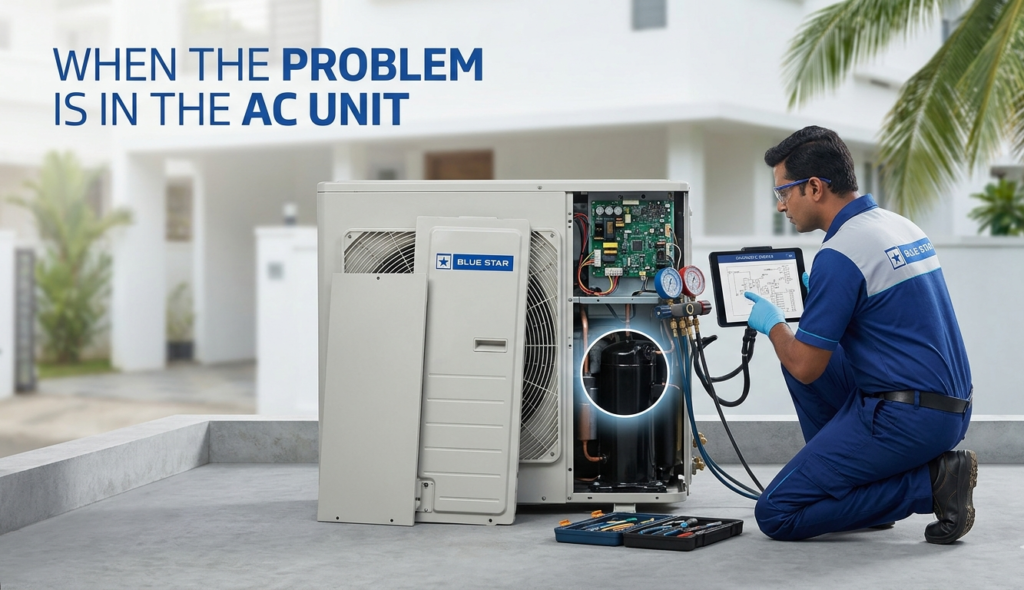
Sometimes, the issue isn’t the remote—it’s the AC itself.
Faulty IR Sensor
If the AC sensor is damaged:
- Remote won’t work at all
- Needs technician repair
Internal PCB Issues
Rare, but possible. If the AC’s internal board has issues, it won’t receive signals.
When to Repair or Replace the Remote
Replace your remote if:
- Buttons don’t respond
- No signal in camera test
- Visible damage
- Water exposure
Repair is usually not worth it unless it’s a minor issue.
Cost of Blue Star AC Remote Replacement in India
Here’s what you can expect:
- Basic remote: ₹500 – ₹1,200
- Original remote: ₹1,200 – ₹2,500
Universal remotes are cheaper but may lack some features.
Tips to Prevent Remote Issues in Future
Don’t want to face this problem again? Here are a few tips:
- Change batteries every 6 months
- Keep your remote away from water
- Don’t drop your remote (obviously )
- Keep your remote in a clean and dry place
Alternative Ways to Control Your AC
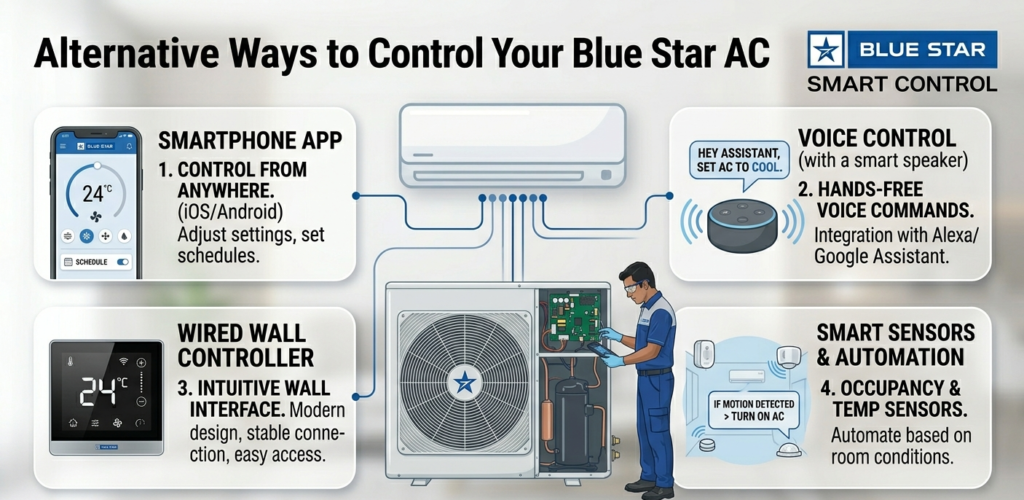
Are your AC remotes not working? No worries! You still have options:
Using Manual Buttons
Most AC remotes have a hidden button inside the AC:
- Open front panel
- Press emergency button
This will turn your AC ON.
Using Smart Apps
Blue Star AC has introduced a new smart AC, and its features include:
- WiFi control
- Mobile app control
You can control temperature, mode, and more.
Blue Star AC Remote Still Not Working After Reset?
If your remote still does not work after changing batteries and resetting it, the problem may be with:
- the AC’s infrared receiver sensor,
- internal PCB damage,
- physical damage inside the remote,
- or signal interference from nearby electronics.
In such cases, testing with a replacement remote helps identify whether the issue is in the remote or the AC unit.
Conclusion
Having a Blue Star AC remote which is not functioning can be a minor problem with a simple solution.
In most cases, the problem with the AC remote is:
- Dead Batteries
- Dusty Sensors
- Minor Glitches
Therefore, before you spend a lot of money on a new AC remote or a technician, you can try the troubleshooting methods provided in this article.
Believe it or not, 90% of the time, it works!
FAQs
1. Why is my Blue Star AC not responding to the remote?
If your Blue Star AC is not responding, the most common causes are weak batteries, a blocked infrared sensor, remote lock mode, or a faulty AC receiver sensor. Start by checking the batteries and cleaning the remote sensor.
2. What should I do if my AC remote is not working?
First replace the batteries, then test the remote using your phone camera, clean the sensor, and reset the remote. In many cases, these simple steps restore normal operation without needing a technician.
3. How do I unlock a Blue Star AC remote?
Some Blue Star remotes have a child lock feature. To unlock it, press and hold the Lock button or a button combination (varies by model) for 3–5 seconds until the lock icon disappears.
4. How can I use Blue Star AC without a remote?
Most Blue Star indoor units have a manual or emergency button behind the front panel. Pressing it allows you to turn the AC on temporarily until the remote issue is fixed.
5. Can Blue Star AC be controlled with a phone?
Yes, selected Blue Star smart AC models support mobile app control via Wi-Fi. You can change temperature, modes, and timers directly from your smartphone.
6. What is the 3-minute rule for AC?
After turning your AC off, wait at least 3 minutes before switching it back on. This protects the compressor and helps avoid internal electrical stress.
6. What is the 3-minute rule for AC?
After turning your AC off, wait at least 3 minutes before switching it back on. This protects the compressor and helps avoid internal electrical stress.