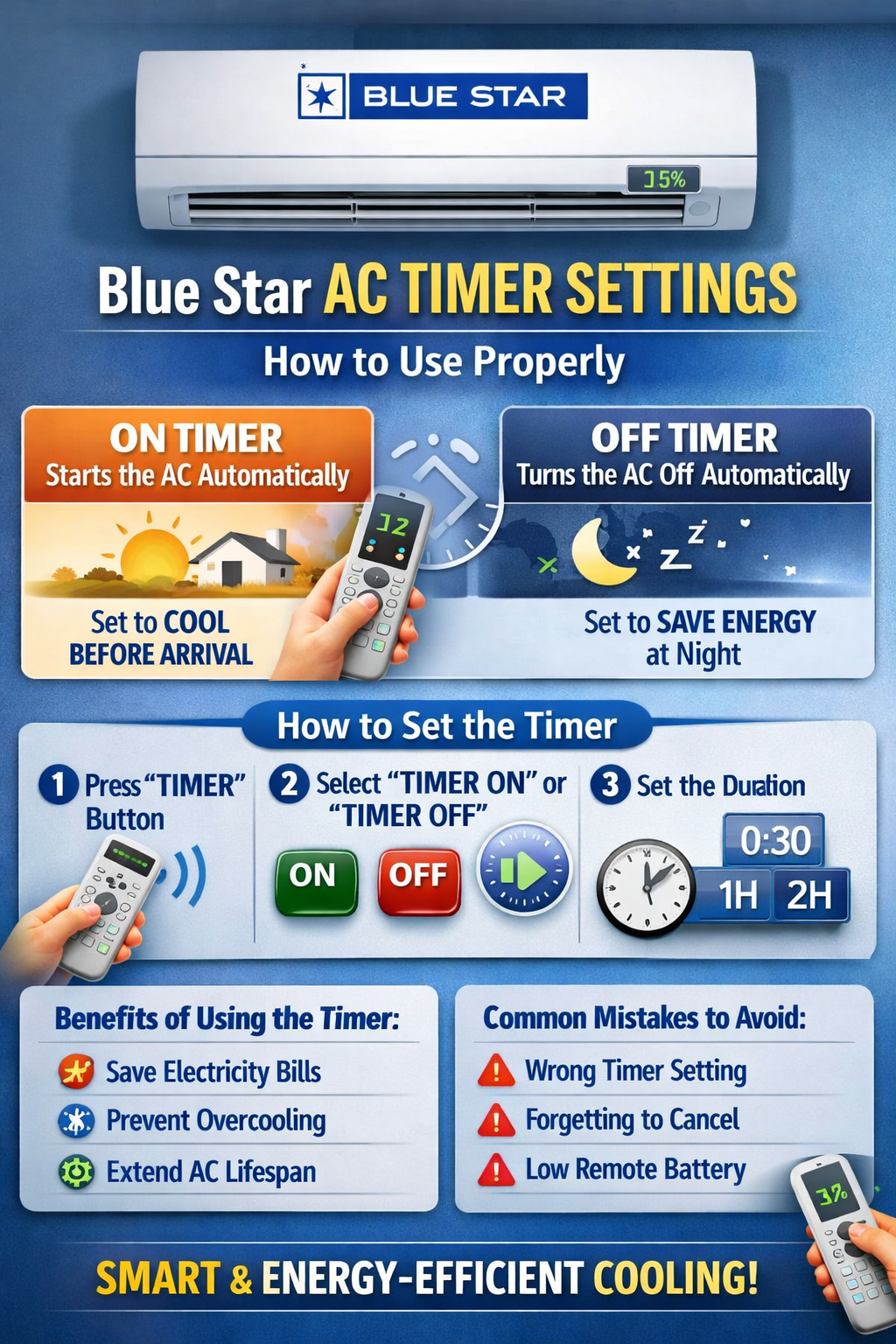
Blue Star air conditioners have carved their niche in the world of ACs due to their high reliability, good energy efficiency, and advanced features. One such handy yet seldom cared-for features is the setting of the Blue Star AC Timer. This, if put into good use, would help reduce electricity bills, enhance comfort, and lengthen the life of your AC.
This comprehensive guide on Blue Star AC timer settings will help you understand what they are, how they work, how to use them step by step, frequent mistakes people do, and some expert tips so that you can avail maximum benefit.
What is the timer function in Blue Star AC?
To use the timer efficiently, it is important to understand the remote control layout. You can refer to our detailed guide on Blue Star AC remote control functions explained to identify timer buttons and symbols easily.
This is particularly useful in:
- At night while sleeping
- When one forgets to switch off the AC.
- Ensuring energy savings in case of long usage hours
Setting Timers in Split, Inverter & Window Blue Star ACs
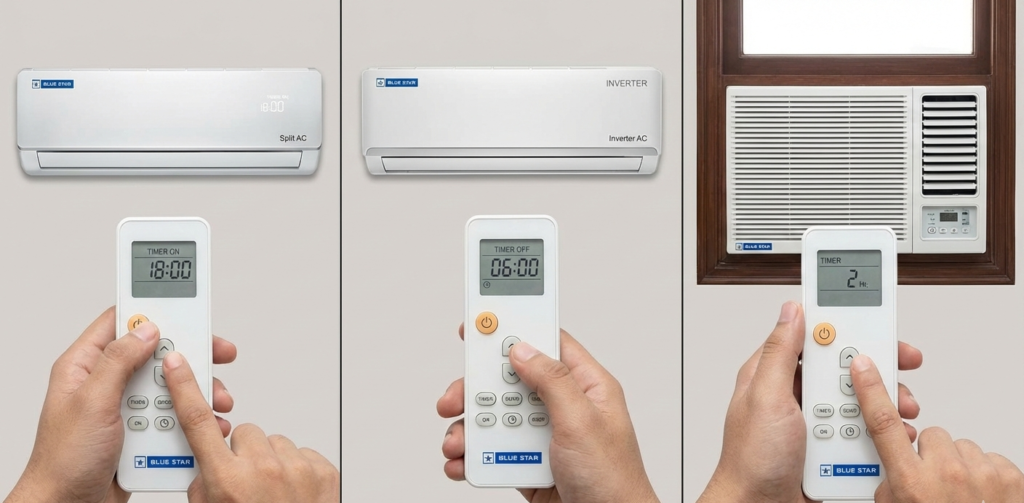
Timer settings in Blue Star Split AC
Most of the Blue Star split ACs come equipped with advanced remote controls capable of supporting both ON Timer and OFF Timer functions.
Key points:
- Works flawlessly, even on extended periods of use.
- The ON and OFF timers are easy to set.
- Some higher-end units enable the user to combine a timer with either Sleep or Eco mode.
Best for bedrooms and living rooms where cooling is required on schedule.
Setting Timers in Blue Star Inverter ACs
Unlike non-inverter ACs, inverter ACs work a bit differently where the usage of timers is more advantageous.
Important behaviour:
- Compressor varies speed instead of switching OFF abruptly
- Timer reduces runtime without sacrificing comfort
- Higher energy savings as compared to non-inverter ACs
A timer used with an inverter AC maintains temperature stability while saving electricity.
Timer Settings in Blue Star Window ACs
Most window ACs only possess straightforward timer features.
Limitations:
- May support only an OFF timer.
- Time intervals may be fixed: 1–2 hours.
- Timer settings may be erased by a power outage.
Still useful for power saving at night, especially in small rooms. If you’re unsure which AC type suits your usage pattern better, this Blue Star split vs window AC comparison guide can help you make the right decision.
Blue Star AC Timer Symbols & Icons: Explanation
Common Timer Icons on the Blue Star AC Display
Knowing the symbols avoids confusion in setting the timer.
- Clock Icon → Timer mode is on
- ON Timer Symbol → The AC will turn on automatically
- OFF Timer Symbol → It means that the AC will automatically shut down.
- Blinking Timer Icon →Timer is either not confirmed or partially set
If the icon disappears, the timer is deactivated.
Types of Timer Settings in Blue Star AC
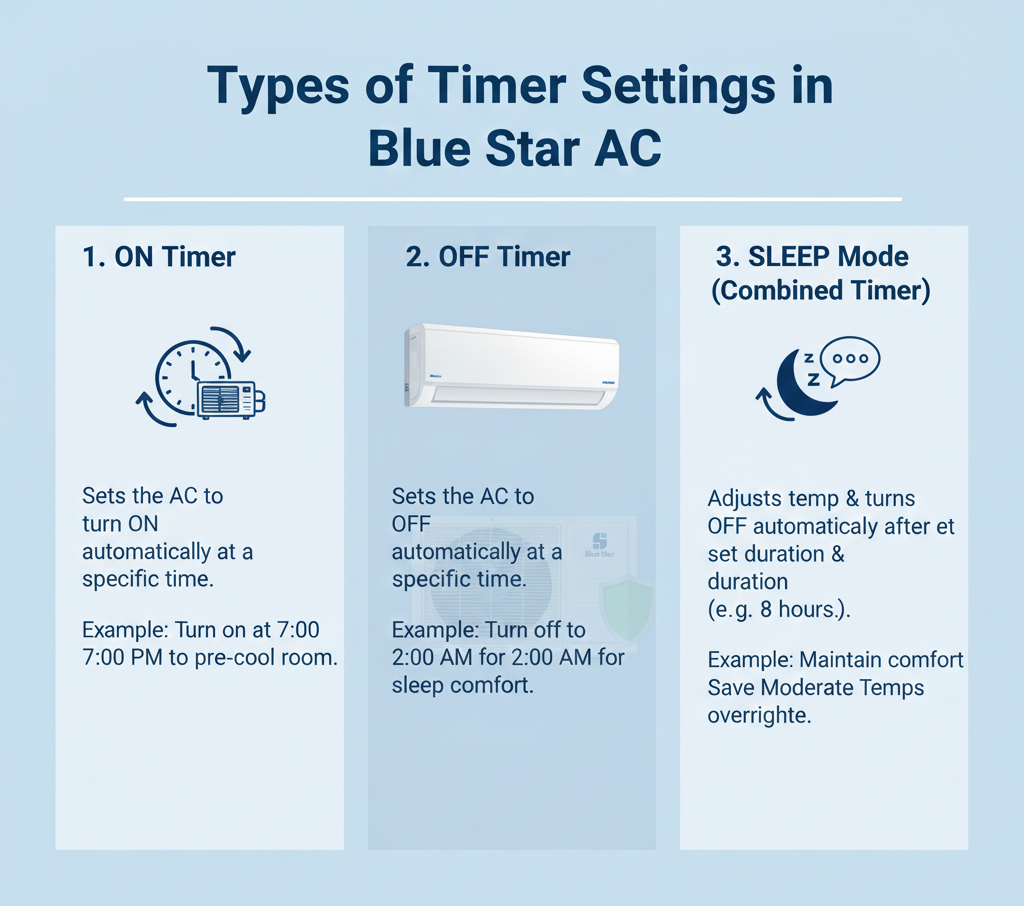
As the model has quoted, there are two main timer options provided by Blue Star: a split AC, an inverter AC, and a window AC.
1. ON Timer
- Automatically turns the AC ON after a selected time.
- Handy if you want the room cooled down before you come in.
2. OFF Timer
- Automatically switches OFF the AC after a preselected time.
- Ideal for night use and saving on electricity.
Some advanced remotes combine both in a Sleep or Programmable Timer mode.
Best Blue Star AC Timer Settings for Different Users
For Night Sleep (Families & Elderly)
- OFF Timer: 2–4 hours
- Temperature: 24–26°C
- Optional: Combine with Sleep mode
Prevents overcooling and throat dryness.
For Office Goers
- Set OFF Timer before leaving home
- Avoid running AC unnecessarily for 6–8 hours
Reduces monthly electricity bills significantly.
For Rental Homes
- Timer prevents accidental long usage
- Ideal when multiple people use the same AC
Protects AC from overuse.
For Peak Summer Usage
- Use ON Timer 30–45 minutes before arrival
- Avoid keeping AC ON all day
Smart cooling without wasting power.
How to Use Blue Star AC Timer Settings (Step-by-Step)
Step 1: Turn ON the AC
Make sure your Blue Star AC is powered ON using the remote.
Step 2: Locate the “TIMER” Button
On most Blue Star remotes, you’ll find:
TIMERTIMER ONTIMER OFF
(Some remotes use a single TIMER button to toggle between ON/OFF modes.)
Step 3: Select Timer ON or Timer OFF
- Press TIMER ON → To schedule when the AC should start
- Press TIMER OFF → To schedule when the AC should stop
The timer icon will appear on the display.
Step 4: Set the Time Duration
Use the + / – or ▲ / ▼ buttons to adjust time.
- Time is usually set in 30-minute or 1-hour intervals
- Maximum duration is generally 24 hours
Step 5: Confirm the Timer
Wait for a few seconds or press SET/OK (if available).
The timer symbol will stay visible, confirming activation.
Best Timer Settings for Daily Use
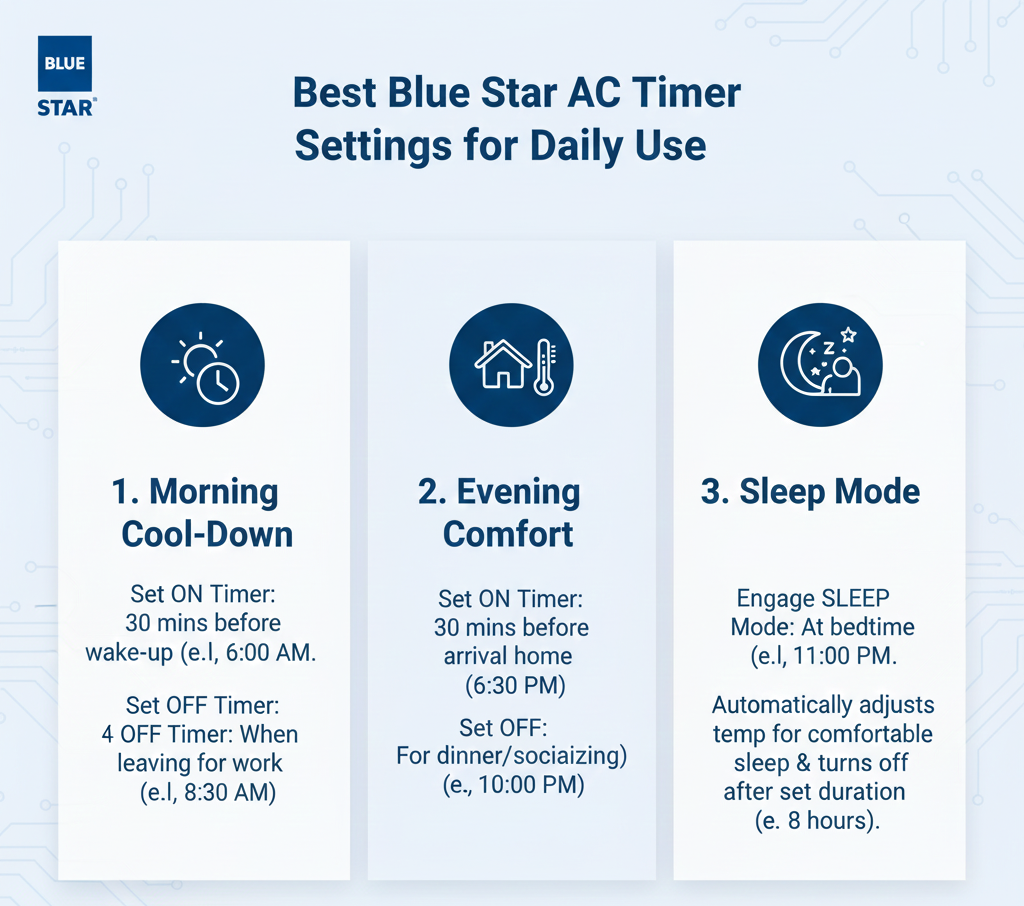
For Sleeping at Night
- Set OFF Timer: 2–4 hours
- Prevents overcooling
- Saves electricity
- Improves sleep comfort
For Office or Work Hours
- Set OFF Timer before leaving home
- Avoids unnecessary power consumption
Before Coming Home
- Set ON Timer: 30–45 minutes earlier
- Room cools down before arrival
- No need to keep AC running all day
How Much Electricity Can You Save Using Timer Mode?
Let’s take a simple example:
- Without Timer: AC runs 8 hours/day
- With Timer: AC runs 4 hours/day
Assuming:
- Power consumption: 1.2 units/hour
- Electricity cost: ₹8/unit
Monthly Savings:
- Units saved: ~144 units
- Money saved: ₹1,100+ per month
Over a year, this adds up to ₹12,000+ savings.
Benefits of Using Blue Star AC Timer Properly
1. Reduces Electricity Bills
The AC doesn’t run longer than required, cutting power usage significantly.
2. Prevents Overcooling
Ideal for children, elderly people, and night-time use.
3. Improves AC Lifespan
Less continuous operation means:
- Reduced compressor load
- Lower wear and tear
4. Hands-Free Convenience
No need to wake up or remember to turn off the AC.
Common Mistakes to Avoid While Using Timer Mode
- Setting very long OFF timers at night
- Forgetting active timers during the day
- Confusing ON timer with OFF timer
- Using timer without proper temperature settings
Tip: Always pair the timer with a comfortable temperature (24–26°C).
Does Using Timer Mode Damage Blue Star AC?
No. Using the timer does not damage your AC.
In fact, it helps by:
- Reducing compressor load
- Preventing continuous operation
- Improving long-term durability
Blue Star designs timer features for daily use.
Timer Mode vs Manual Switching – Which Is Better?
| Feature | Timer Mode | Manual Switching |
|---|---|---|
| Convenience | High | Low |
| Energy Saving | Better | Depends on user |
| Compressor Stress | Low | Higher |
| Night Comfort | Excellent | Inconsistent |
Winner: Timer Mode
Blue Star AC Timer Not Working? Possible Reasons
If your timer isn’t functioning, check the following:
Remote Batteries Are Weak
Low battery can prevent timer signals from transmitting.
Timer Was Not Confirmed
Timer needs proper confirmation after setting.
Power Cut Reset
Some models reset timers after power failure.
Remote Compatibility Issue
Universal remotes may not support all timer functions.
Blue Star AC Timer Problems & Quick Fixes
| Problem | Possible Cause | Solution |
|---|---|---|
| Timer not working | Weak remote battery | Replace batteries |
| Timer icon blinking | Not confirmed | Reset and confirm |
| Timer resets | Power cut | Set timer again |
| Timer not responding | Universal remote | Use original remote |
Timer Mode vs Sleep Mode – What’s the Difference?
| Feature | Timer Mode | Sleep Mode |
|---|---|---|
| On/Off control | Yes | Partial |
| Temperature adjustment | No | Yes |
| Power saving | Moderate | High |
| Comfort optimization | Manual | Automatic |
Best Practice:
Use Timer Mode for strict ON/OFF control and Sleep Mode for automatic comfort adjustment. For light sleepers or elderly family members, choosing a quieter model matters as much as using the timer. Our comparison of Blue Star AC noise levels highlights the quietest options for night-time comfort.
Expert Tips for Maximum Efficiency
- Use Timer + Inverter Mode together
- Clean filters regularly for better cooling efficiency
- Avoid very low temperatures with long timers
- Combine timer with Eco or Sleep mode
Is It Safe to Use Timer Mode Daily?
Yes, absolutely.
Using the timer daily is safe, recommended, and beneficial for both energy savings and AC durability.
Blue Star designs its timer feature to handle regular use without affecting performance.
FAQs – Blue Star AC Timer Settings
1. Can I set both ON and OFF timer together?
Some advanced Blue Star models support both, but most allow one timer at a time.
2. Does timer work during power cuts?
No. In most models, timers reset after a power failure.
3. Does timer reduce cooling performance?
No. It only controls operating duration, not cooling capacity.
Final Verdict: Should You Use Blue Star AC Timer Settings?
Absolutely—without a doubt.
The Blue Star AC timer feature is one of the most underrated yet powerful functions available in your air conditioner. When used correctly, it helps you cut unnecessary electricity consumption, maintain a comfortable indoor temperature, and reduce long-term stress on the compressor and internal components.
By automatically controlling when your AC turns ON or OFF, the timer prevents overcooling, avoids wasted runtime, and ensures your AC works only when needed. This not only lowers your monthly power bills but also extends the overall lifespan of your Blue Star AC.